In development Music production & music video software for Windows Your music.
Your studio.

Split a song into stems, remove the vocals or your own part, record and reamp your playing, then let Auto Sync line up your cameras and Auto Director cut the performance video. One studio, running on your own PC.

Be first to hear when AXEFRAME is ready. No account needed.

  • Runs on your computer
  • No required uploads
  • No paid per-generation AI calls
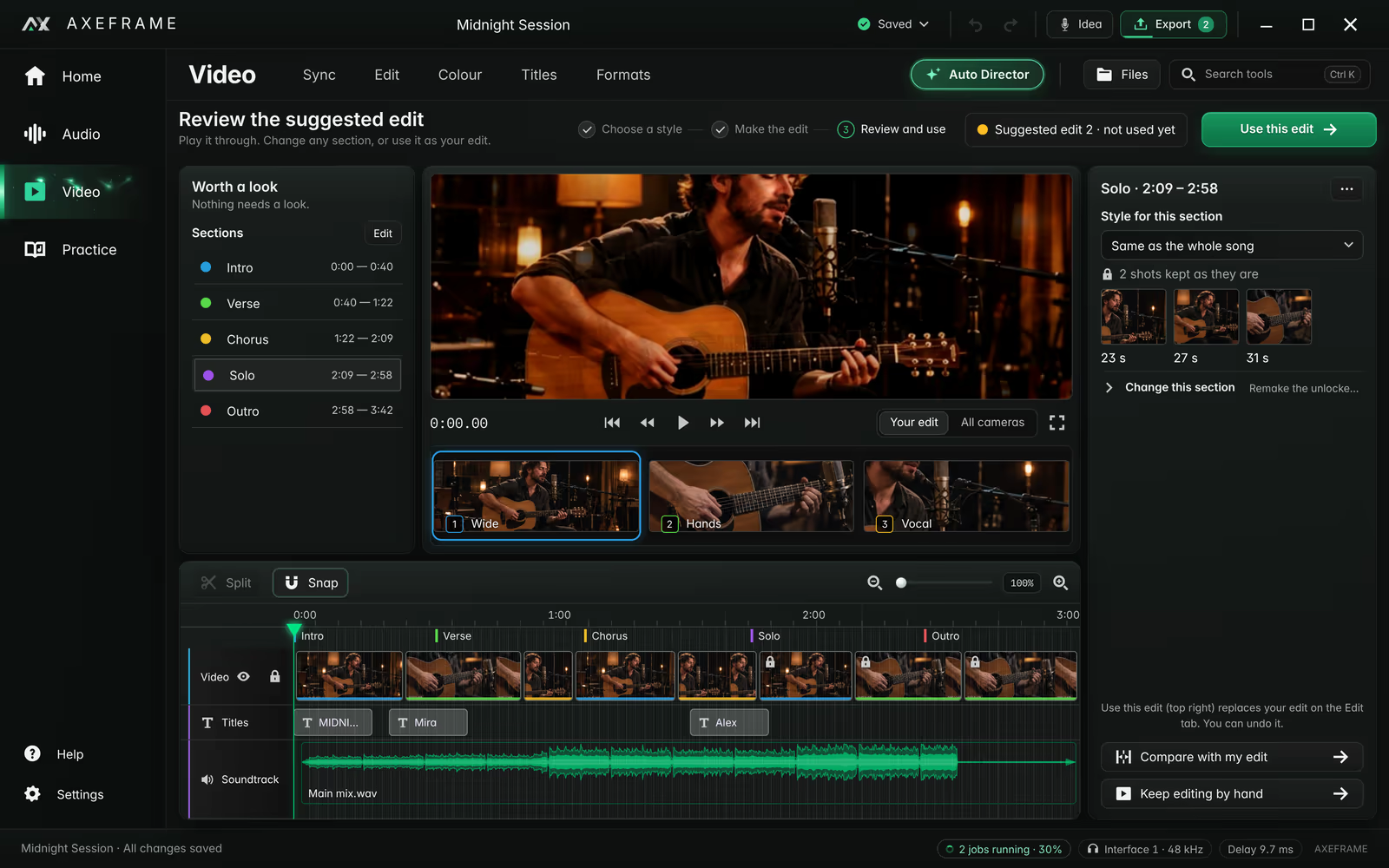
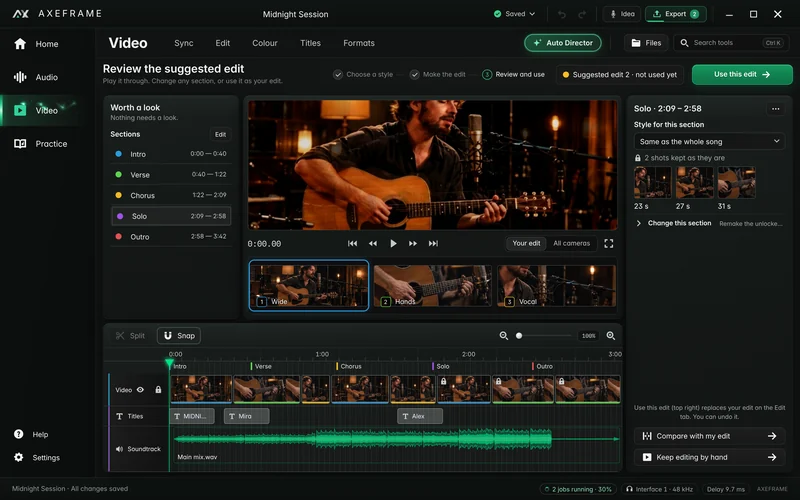
AXEFRAME Auto Director reviewing a suggested multicamera edit of an acoustic performance
Auto Director
AXEFRAME Separate Stems with vocals, drums, bass, guitar and other parts
Stem separation
AXEFRAME Colour workspace comparing a performance before and after a look
Colour & looks
AXEFRAME Reamp sending a clean guitar DI through your own plug-ins
Reamp

The real AXEFRAME interface, shown with an example project.

No required uploads. Your recordings stay on your computer.

No cloud rendering. Your own hardware does the work.

No paid per-generation AI calls. Create at your own pace.

WYRM effects

Effects with
a world inside.

Fifteen effects built into AXEFRAME, from saturation and drive to reverb, delay, pitch and compression. Each one has its own animated scene that comes alive with your music, and they sit right alongside your own VST3 plug-ins. Explore the WYRM effects →

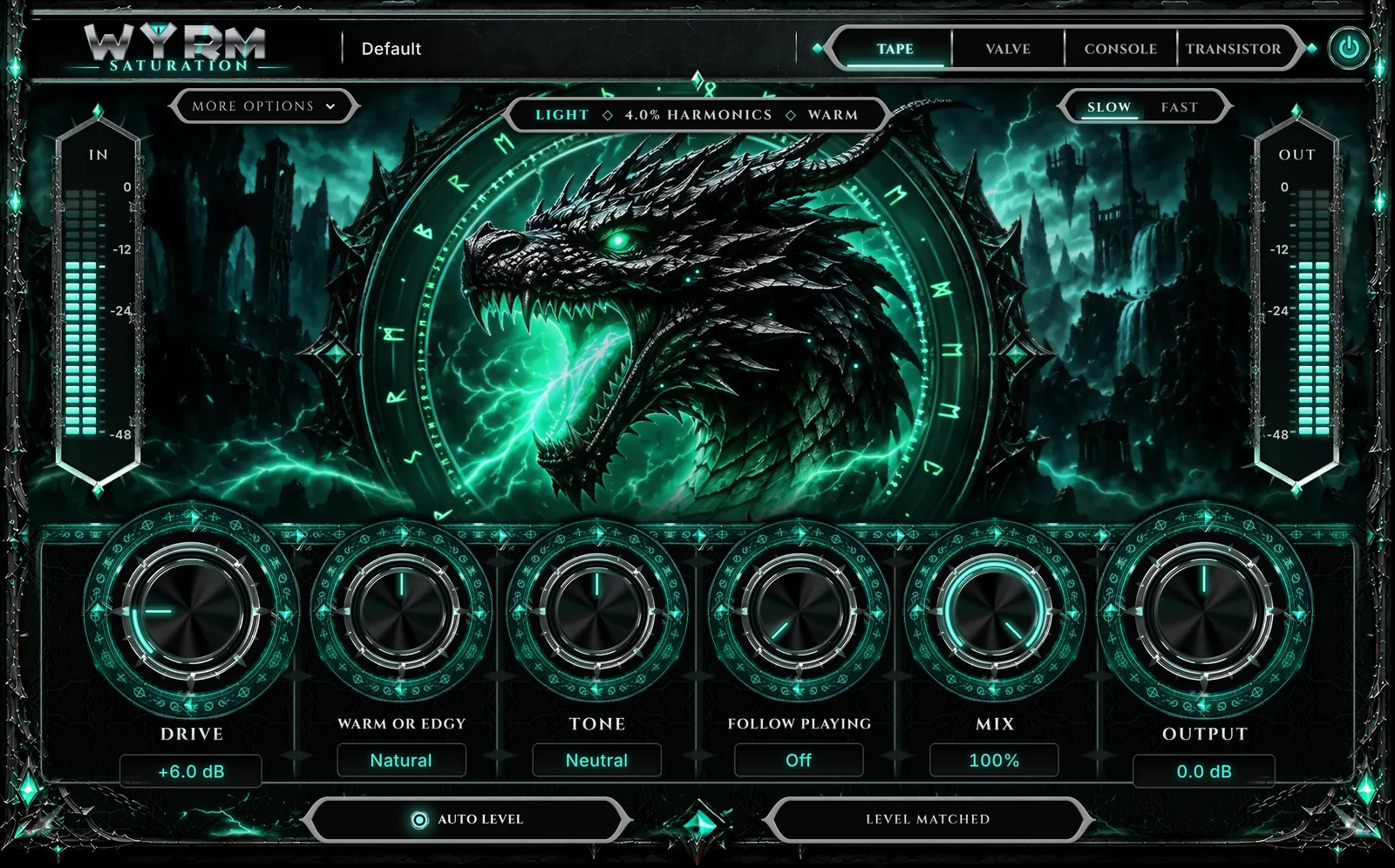
WYRM Saturation effect with its animated dragon scene

WYRM Saturation

Tape, valve, console or transistor warmth, from gentle to edgy, with the level kept the same.

Stem separation for musicians

Go inside
the mix.

A stem splitter built into your studio. Turn a finished mix into separate vocals, drums, bass, guitar and accompaniment. Remove the vocals to make an instrumental, mute the part you want to play, or rebalance the whole song.
Explore the stem splitter Explore the vocal remover

Bring the vocal forward for study, or take it out of the way when you want to sing.

  • 01

    Make a backing track.

    Leave space for your voice or instrument and play along with the rest.

  • 02

    Study the part.

    Isolate a melody, bass line or drum part. Loop a difficult passage and work at your own pace.

  • 03

    Change the balance.

    Adjust levels, pan and effects on individual stems, even without the original multitrack recording.

  • 04

    Keep creating.

    Take selected stems into Record & Mix, build a new arrangement, or export individual audio files.

Separate StemsClick to enlarge

Available parts depend on the supported separation model. Separated stems are estimates; bleed and artefacts can remain.

Be first to hear when stem separation is ready.No account needed · In development for Windows

Auto Sync & Auto Director

You perform.
AXEFRAME directs.

Sync audio and video from every camera with Auto Sync. Auto Director is designed to choose shots around the music and build an editable multicamera performance video, ready for your review and export. Explore the music video maker →

Auto Sync. Sync video with your recorded audio.

Import phone or camera footage and choose your soundtrack. Auto Sync uses the recorded audio to suggest alignment, checks for drift and flags uncertain matches. Fine adjustments and manual anchors keep you in control when camera audio is missing or unclear.

Camera coverage · Audio-master sync · Manual correction

Sources & SyncClick to enlarge

Cuts that follow the performance.

Music-aware direction uses rhythm, dynamics, song sections and available camera coverage to propose the edit. Choose a quiet, sustained view for an intimate take or a more active treatment for a high-energy performance.

Your choices stay yours.

Pin a favourite shot. Protect a solo. Change the pacing, camera priority or framing. Regenerate an unlocked section without throwing away the decisions you already made.

More than camera switching.

Directing profiles can combine cuts, restrained movement, reframing, transitions, colour and titles. The result stays editable in Video Studio until you export.

A full video editor, when you want it.

Open the full video timeline for frame-level cuts, multicamera changes, keyframed pan and zoom, effects, colour, titles and independent output compositions.

Sync, directing and finishing results depend on the source recordings and supported processing.

Get launch updates for Auto Sync and Auto Director.No account needed · In development for Windows

Recording & mixing Build the track you hear in your head.

Record vocals and instruments on separate tracks. Build a performance from your best takes, arrange the song, and mix with effects, sends, buses and automation. Explore the DAW →

Multitrack recording · Takes & comping · Routing & automation

Record & MixClick to enlarge

A complete audio workflow

Make the sound
your own.

Record from scratch, work with existing tracks, or start with separated stems. The audio studio has its own creative workflow, with no video required.

Effects & plug-ins

Shape a track with EQ, compression, gating, saturation, chorus, delay and reverb. Build effect chains and use compatible VST3 effects.

Pitch shifting, speed & practice

Change pitch without changing duration, or slow a recording without changing its key. Loop a section and focus on the part you’re learning.

A proper mix

Control clip gain, fades, panning, mute and solo. Route tracks into buses, use send effects, and automate changes through the song.

From mix to master

Compare treatments, measure loudness and peaks, then export your final mix or individual stems. Keep the original recording available.

Planned suite capabilities. Third-party plug-ins require compatible versions and their own licences.

Guitar & reamp

Your tone.
Built in, or yours.

Record your guitar in Record & mix through AXEFRAME’s fifteen built-in WYRM effects, your own compatible VST3 amp and effects plug-ins, or a mix of both, with a tuner and a clean DI kept alongside every take. Then Reamp plays that DI through a different chain, so you can change the tone without replaying the part. No DI? Reamp can recover an estimated one from a finished recording. Explore Reamp →

  • 15 built-in WYRM effects
  • Your compatible VST3 plug-ins
  • Built-in tuner
  • A clean DI with every take
  • Reamp & tone shootout
  • Recover a DI

ReampClick to enlarge

AXEFRAME hosts compatible third-party plug-ins; amp simulators are not included. Install and license your plug-ins separately.

Keep the take.
Try another tone.

Reamping uses the dry performance you actually recorded. A separated guitar stem is different from a clean DI; exact recovery of a dry signal from a finished mix is not a promised feature.

Colour · LUTs · Effects · Titles

The finishing touches
make it yours.

Give different cameras a consistent look. Build a visual style for the song. Add the details that turn a recording into a release.

  • Colour grading & LUTs

    Balance exposure, contrast, white balance and saturation. Apply a supported LUT, set its intensity, and compare the treatment against the original.

  • Movement & effects

    Shape a shot with keyframed zooms, pans, crops and transitions. Keep the instrument, hands or performer in view as the composition changes.

  • Titles & identity

    Add the song title, artist, handle, logo, credits or a gear card. Position them for each output format and save a look for the next performance.

  • Landscape & portrait export

    Build separate 16:9 and 9:16 compositions, protect the important parts of the frame, and queue the full song, social clips and audio master together.

Colour & LUTsClick to enlarge

The whole creative process

From one idea
to a finished post.

  1. 01 · Record

    Play it

    Track your parts, with a clean DI kept for every guitar take.

  2. 02 · Separate

    Go inside the mix

    Pull a song apart to learn it, cover it or play over it.

  3. 03 · Sync

    Line up cameras

    Every angle aligned to your finished audio.

  4. 04 · Direct

    Cut to the music

    Shots follow the performance. Pin the moments you love.

  5. 05 · Export

    Make it seen

    The full song and vertical clips, ready to upload.

Whatever you play

A stage for
your kind of music.

A guitar playthrough. An intimate vocal take. A piano session. The instrument changes. The desire to make it look and sound right doesn’t.

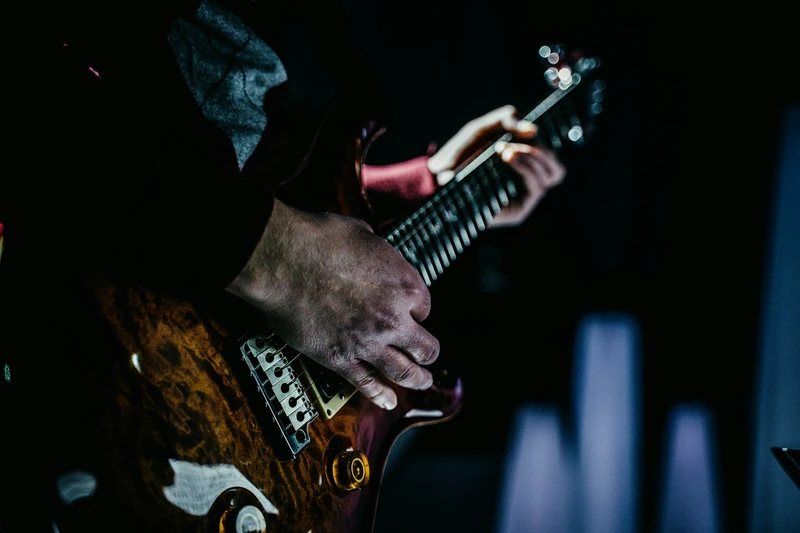
Hands playing an electric guitar
Riffs · Solos · Playthroughs

Every detail. Every decision.

A vocalist performing into a microphone
Vocals · Covers · Originals

Let the feeling come through.

A pianist’s hands at the keyboard
Keys · Sessions · Compositions

Give the whole performance room.

Guitarists · Vocalists · Pianists · Drummers · Bassists · Bands · Music creators

Designed to work locally

Your recordings.
Your computer.

The baseline workflow is designed for local processing: no required media uploads, cloud rendering or paid per-generation AI calls. Create with your own recordings, keep your originals, and return to the project when you’re ready.

How AXEFRAME’s planned workflow compares with a typical online stem service
FeatureAXEFRAME (planned)Typical online stem service
Where processing happensDesigned for your computerUsually remote servers
Media uploadsNot requiredUsually required
Multicamera performance videoIn the same studioUsually a separate app
Record, mix & masterIn the same studioUsually a separate app
Your VST3 guitar plug-insDesigned to host themUsually not offered

Questions

Straight answers.

Anything else? Email launch@axeframe.com

What is AXEFRAME?

AXEFRAME is music production and performance video software for musicians, in development for Windows. It brings stem separation, recording and mixing, reamping, the WYRM effects, Auto Sync, Auto Director and a video editor into one creative studio.

When is AXEFRAME launching?

No release date has been announced yet. Join the launch list to hear first when AXEFRAME is ready.

Does AXEFRAME upload my music or videos?

No uploads are required. The baseline workflow is designed for local processing on your own computer, without cloud rendering or paid per-generation AI calls.

What can AXEFRAME's stem separation do?

It is designed to split a finished mix into vocals, drums, bass, guitar and other parts, so you can make a backing track, study a part or rebalance a song. Separated stems are estimates, and bleed and artefacts can remain.

Can AXEFRAME remove vocals from a song?

Yes, that is one of the things stem separation is designed for. Remove the vocal to make an instrumental or karaoke-style backing track, or keep the vocal and remove your own instrument to play along. Results are estimates and depend on the recording.

How do Auto Sync and Auto Director work?

Auto Sync uses your recorded audio to suggest how each camera lines up with the soundtrack and flags uncertain matches. Auto Director then proposes shots and cuts around the rhythm, dynamics and sections of the song. Every cut stays editable.

Does AXEFRAME include amp simulators?

AXEFRAME works with your own compatible third-party VST3 amp plug-ins, which you install and license separately, and keeps a clean DI with every take so you can reamp later.

Is there a Mac version?

AXEFRAME is in development for Windows. Join the launch list for release news and availability.

Every frame. Every note.

Make it heard.
Make it seen.

A song to learn. A track to finish. A performance to share. One creative suite, from the first take to the final export.

Be first to hear when AXEFRAME is ready.
Windows · In development · No release date announced

  • WindowsIn development
  • LocalProcessing
  • FreeTo join
↑
The launch list

Be there for
the first note.

Hear when AXEFRAME is ready. Join the launch list for product and release updates.

No account required. Privacy information

Photography & provenance

Real performances.

Photographs from Unsplash are used as illustrative creative imagery. The people pictured are not presented as AXEFRAME customers or endorsers.

The AX monogram comes from AXEFRAME’s existing brand assets. The interface images are screenshots of the AXEFRAME desktop app with an example project, “Midnight Session”. Performance imagery inside the example project was created for AXEFRAME.

AXEFRAME Studio

Separate Stems

Separate Stems interface