

Master for streaming
Choose Streaming, CD or Loud and AXEFRAME masters to that level, with peaks kept safe for clean conversion.
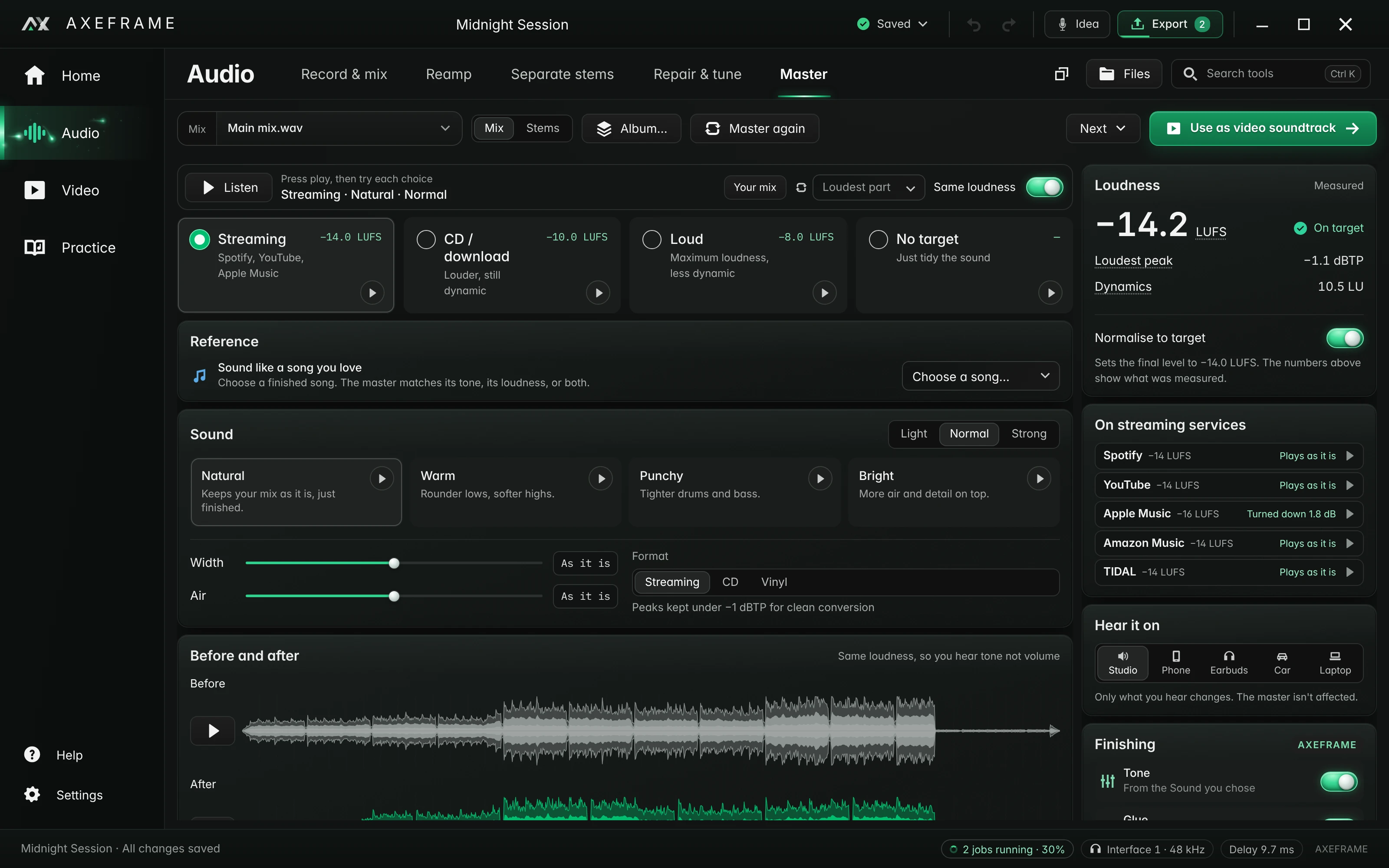
AXEFRAME’s Master workspace finishes your song for release. Choose a loudness target for streaming, CD or as loud as possible, match the tone of a song you love, pick a character, and hear how it will play on Spotify, Apple Music, YouTube and more.
In development for Windows No account needed to join
Streaming · CD · Reference · Loudness · Formats
Mastering, made clear
Choose Streaming, CD or Loud and AXEFRAME masters to that level, with peaks kept safe for clean conversion.
Choose a finished reference track and the master can match its tone, its loudness or both.
See whether Spotify, YouTube, Apple Music, Amazon Music and TIDAL will play it as it is or turn it down, and hear it on studio speakers, a phone, earbuds, a car or a laptop.
How it works
Every choice is compared at the same loudness, so you hear tone, not volume.
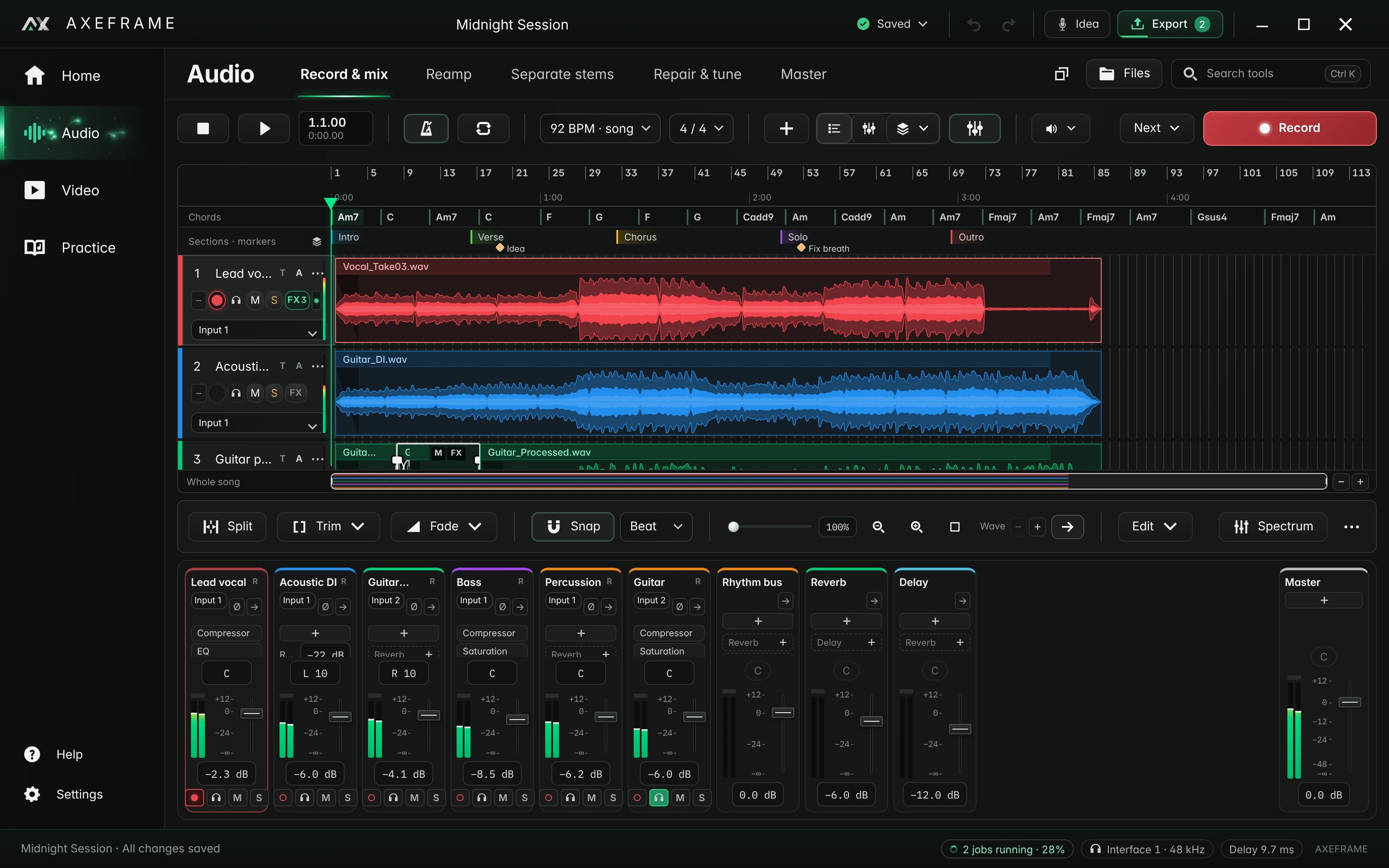
Master the mix from Record & mix, or bring in a finished stereo file.
Set a target, optionally a reference, and a sound: natural, warm, punchy or bright, with width and air.
Listen before and after, check every service, then export or use it as your video’s soundtrack.
Part of one studio
Because mastering lives in the same project as your mix, you can go back, change the mix and master again in moments. The finished master becomes the soundtrack for your music video automatically.
Formats for streaming, CD and vinyl are handled for you, with loudness measured and shown in plain terms.
Straight answers
What it does, what to expect, and where AXEFRAME is heading.
Mastering is the last step before release: balancing the finished mix’s tone and loudness so it sounds right on every system and service, and preparing it in the right formats.
Streaming services turn loud songs down to their own level (Spotify’s is around −14 LUFS). AXEFRAME’s Streaming target masters to that level and shows how each service will play your song.
Yes. Choose a song you love as a reference and the master can match its tone, its loudness, or both.
No. Mastering runs on your own Windows PC, so your music is never uploaded.
Yes. Bring in any finished stereo mix and master it.
LUFS measures how loud a song sounds overall, the way streaming services measure it. AXEFRAME shows your master’s LUFS and how each service will treat it.
It helps: when mastering lives next to the mix, you can fix a problem in the mix and master again in moments. AXEFRAME keeps both in one project.
AXEFRAME is in development for Windows and no release date has been announced. Join the waiting list to hear first.
Be part of what comes next
Be first to hear when AXEFRAME’s Master is ready.