

Reamp in software
Play the clean DI through your own compatible VST3 plug-ins or AXEFRAME’s built-in WYRM effects. No reamp box, no cables, no level matching by hand.

Reamping means playing a recorded, clean guitar signal back through a different amp or effects chain. AXEFRAME keeps a clean DI with every take, so you can reamp in software through your own plug-ins or the built-in WYRM effects, without a reamp box and without playing the part again.
In development for Windows No account needed to join
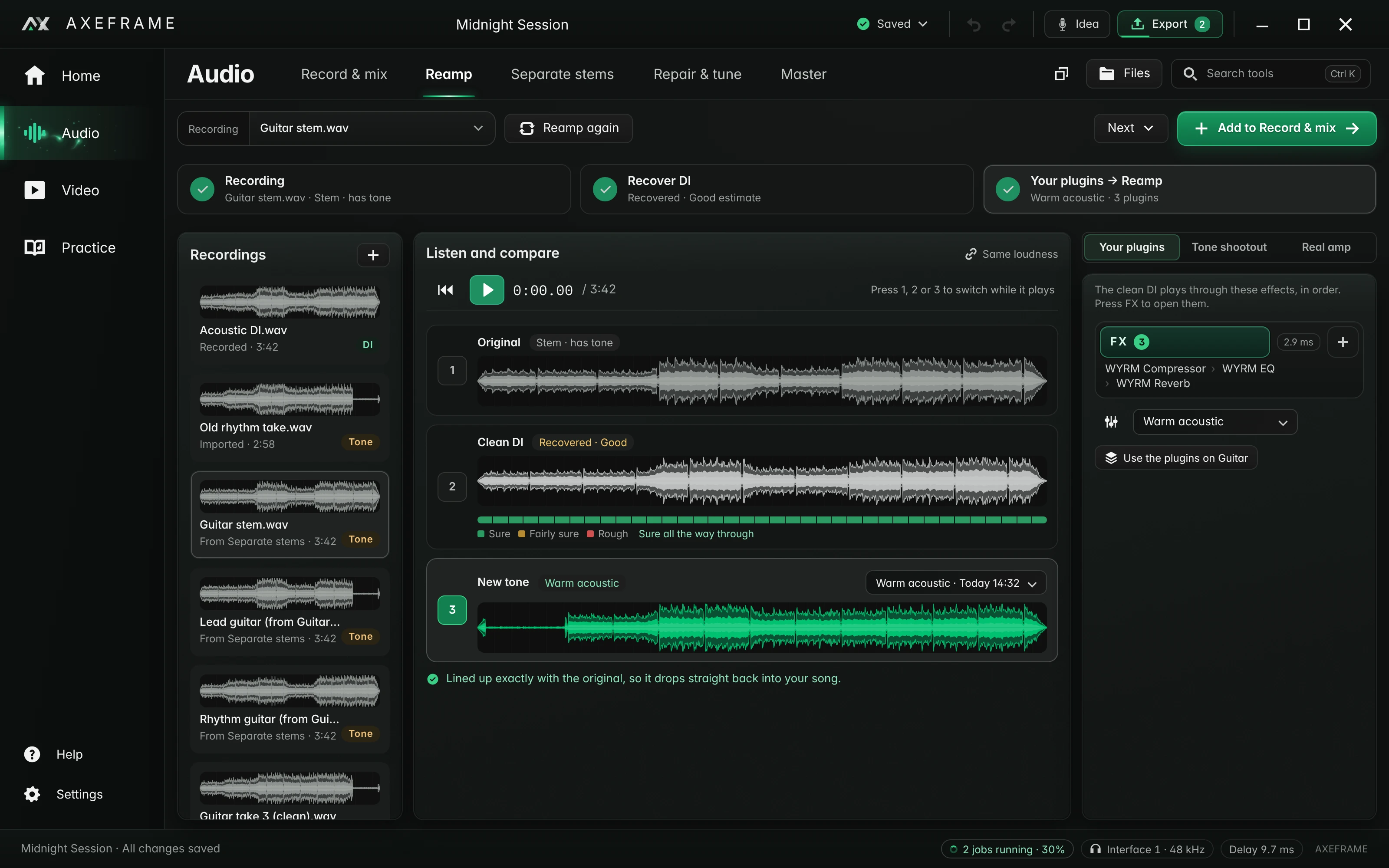
Clean DI · Your plug-ins · WYRM effects · Tone shootout · Recover DI
Why reamp
Play the clean DI through your own compatible VST3 plug-ins or AXEFRAME’s built-in WYRM effects. No reamp box, no cables, no level matching by hand.
Run the same take through several chains and switch between them while it plays, at the same loudness, until one is right for the song.
Only have the recording with the tone baked in? Reamp can recover an estimated clean DI from it, so even old takes can get a new sound.
How to reamp guitar
Commit to the performance now and the tone whenever you are ready.
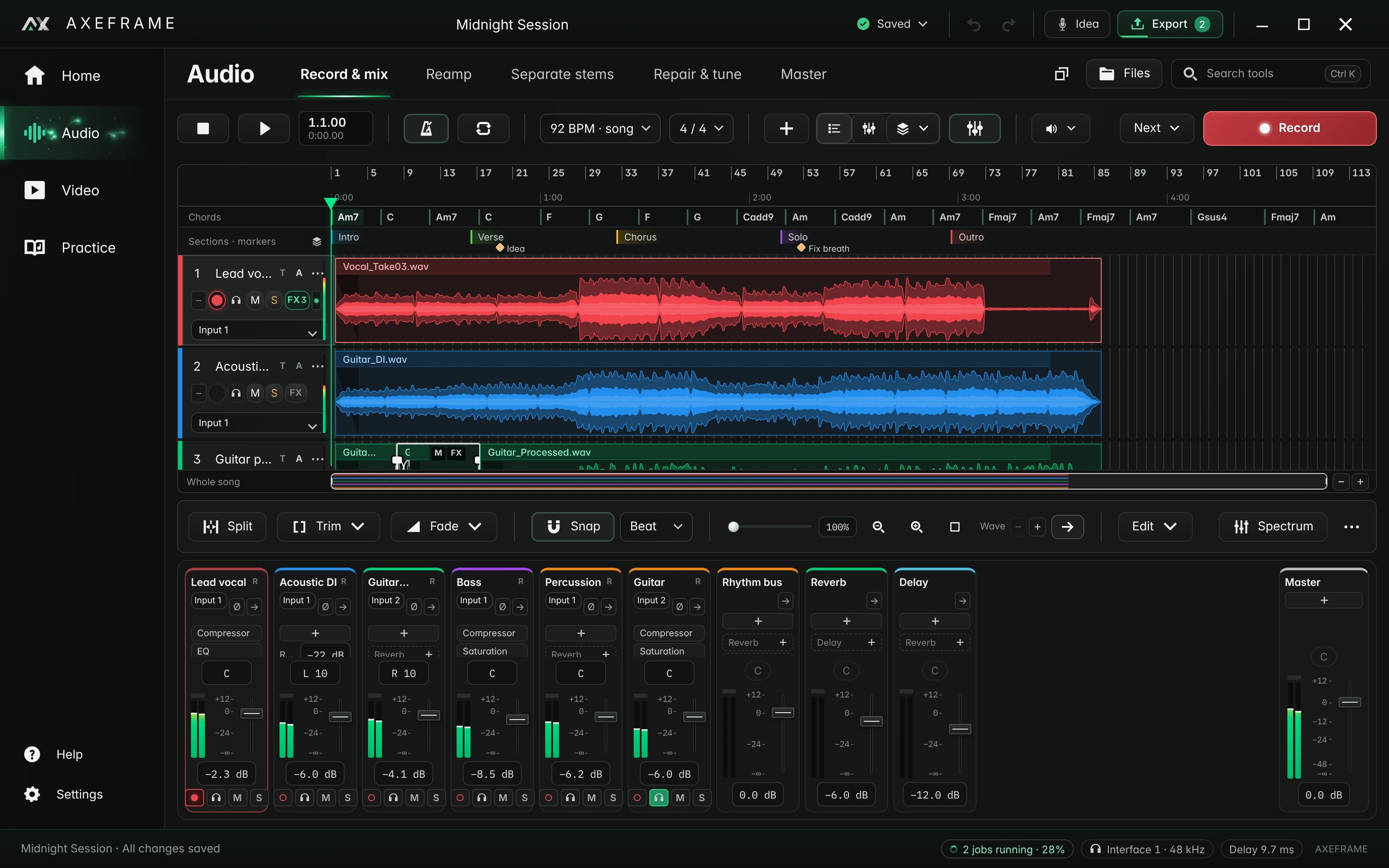
In Record & mix, AXEFRAME keeps the clean guitar signal alongside your processed tone on every take.
Open Reamp, pick the take and build a chain from your plug-ins and WYRM effects.
Listen against the original, then add the reamped track to your song, lined up exactly with the original.
Guitar recording software
Record your guitar on your PC through a built-in tuner and either your own compatible VST3 amp and effects plug-ins, AXEFRAME’s fifteen WYRM effects, or a mix of both. Your plug-ins open in their own windows, exactly as their makers designed them.
Every take keeps its clean DI, so reamping is always an option, and the reamped track drops back into your song lined up with the original.
Straight answers
What it does, what to expect, and where AXEFRAME is heading.
To reamp is to send a recorded, clean guitar signal (the DI) back through an amp or effects chain to record a new tone, without the guitarist playing the part again.
Yes. A reamp box is only needed to send a recording out to a real amplifier. In AXEFRAME you reamp in software through plug-ins and WYRM effects, so no reamp box is needed.
Reamp can recover an estimated clean DI from a recording with the tone already on it. It won’t be identical to a real DI, but it is often good enough to try a new tone.
Yes. AXEFRAME hosts compatible third-party VST3 plug-ins, which you install and license separately, alongside its built-in WYRM effects.
The Reamp tool includes a real-amp option for sending the DI out through your audio interface to a physical amp. For that route you do need a reamp box or a suitable interface output.
A DI (direct input) is the clean, unprocessed signal straight from your guitar, recorded before any amp or effects. Keeping it is what makes reamping possible later.
An audio interface with an instrument input is enough. AXEFRAME records the clean DI from it and plays it through your chosen effects as you play.
AXEFRAME is in development for Windows and no release date has been announced. Join the waiting list to hear first.
Be part of what comes next
Be first to hear when AXEFRAME’s Reamp is ready.