

Home recording, done right
Record many tracks at once, keep every take and comp the best parts, with pre-roll, a click and Hear yourself while you play.

Record & mix is AXEFRAME’s music production workspace: a DAW for Windows with multitrack recording, takes, editing, a mixer, automation, MIDI and your VST3 plug-ins. It shares one project with stem separation, mastering and music video.
In development for Windows No account needed to join
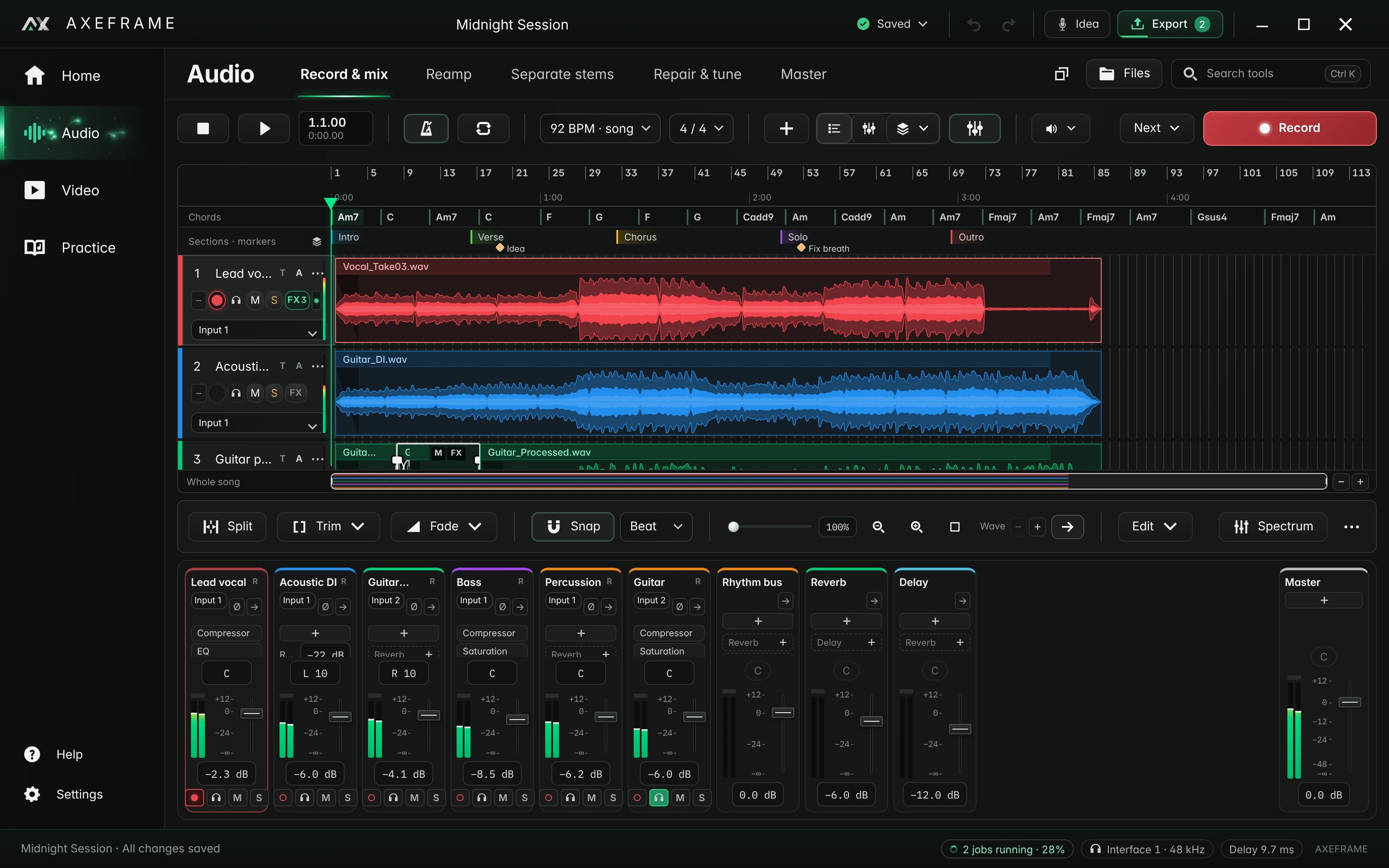
Tracks · Takes · Mixer · Automation · MIDI · Plug-ins
Music production software
Record many tracks at once, keep every take and comp the best parts, with pre-roll, a click and Hear yourself while you play.
Split, trim, fade, crossfade and nudge clips on a grid that follows the song’s tempo, with regions for moving whole sections.
Buses, sends, automation and your own VST3 plug-ins next to the built-in WYRM effects, then master in the same project.
One studio
Every tool works on its own, and they share one project.
Record instruments and vocals, add MIDI, or bring in stems separated from another song.
Comp takes, tidy timing, balance the mix and shape it with automation and effects.
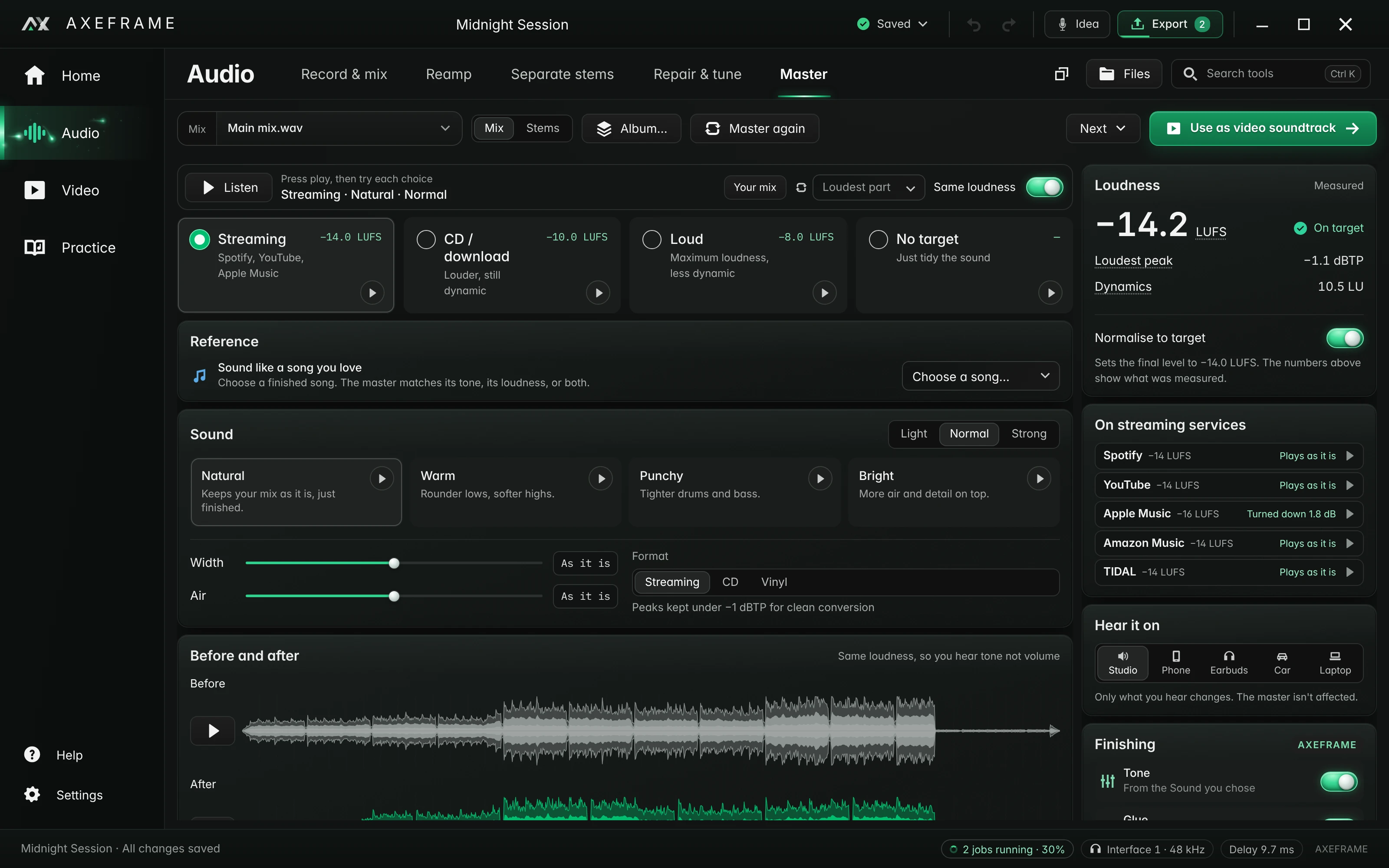
Master for streaming in the same project and use the result as your music video’s soundtrack.
Beyond a DAW
Most music recording software stops at the mix. AXEFRAME carries on: separate stems from a reference, repair and tune a vocal, master for streaming services and cut a multicam music video, without exporting between apps.
It is built for Windows from the ground up and keeps your projects on your own computer.
Straight answers
What it does, what to expect, and where AXEFRAME is heading.
Its Record & mix workspace is: tracks, takes, editing, a mixer, automation, MIDI and plug-ins. AXEFRAME adds stem separation, repair, mastering and music video around it.
Yes. AXEFRAME is in development for Windows. A Mac version has not been announced.
Yes. AXEFRAME hosts compatible third-party VST3 plug-ins, which open in their own windows, alongside its built-in WYRM effects.
Yes: MIDI tracks, a piano roll, quantize, recording from a keyboard and MIDI files in and out.
That is what it is built for: musicians recording at home, with clear controls, every take kept, and help when something needs checking.
Stable recording with low delay, a clear way to keep and comp takes, a capable mixer with automation, MIDI, and support for the plug-ins you already own. AXEFRAME’s Record & mix is built around exactly those, for Windows.
Yes. Record as many inputs as your audio interface has, each on its own track, and hear yourself through your effects while you play.
AXEFRAME is in development for Windows and no release date has been announced. Join the waiting list to hear first.
Be part of what comes next
Be first to hear when AXEFRAME is ready.